
Step 4: Establish CSP to Supplier connections
Based on the agreed upon system integration, the CSP needs an API key to issue API calls to PDX for feeding/importing product data.
Option 1 (Recommended):
If the CSP supports OAuth, please follow below steps:
-
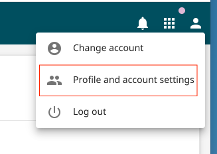
Retailer logs in the new supplier’s PDX client, then go to the ‘Profile and account setting’:
-
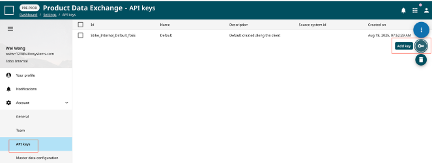
Retailer goes to Account -> API Keys page, then Add key:
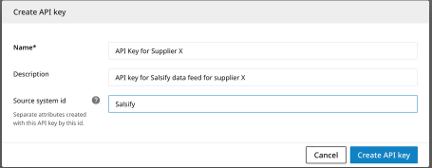
If multiple upstream sources feed the same PDX client, set a 'Source System id', so attributes from different systems don't overwrite each other
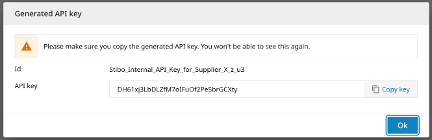
- Retailer shares above generated ID and API key with CSP securely
- CSP completes account linkage on their side and confirms they can obtain a bearer token.
Option 2:
If the CSP doesn’t support OAuth, please follow below steps:
- Retailer creates a Jira ticket for Stibo SYS PDX Scale team, requesting an API key for a specific PDX client (the new supplier)
- SYS PDX Scale team manually generates an API key, then responses back to the retailer through the Jira ticket
- Retailer Share above generated ID and API key with CSP securely
- CSP completes their side of the connection.
Updated about 1 month ago
Did this page help you?